Artificial Intelligence

The Best AI Tools That Can Save You Hours Every Week

AI can do far more than generate text. Discover the most useful AI tools for writing, research, design, coding, automation, and productivity—and learn how to build an AI workflow that genuinely saves time every week.

The Best AI Tools That Can Save You Hours Every Week

Artificial intelligence has reached an unusual point in its evolution. For years, it was discussed as a technology that might transform work someday. Today, that transformation is happening quietly on millions of computers every single day. Writers are drafting articles in minutes instead of hours. Designers are creating concepts without opening complex software. Developers are generating code, marketers are analyzing campaigns, students are summarizing research papers, and entrepreneurs are building businesses with tools that did not exist only a few years ago.

Yet despite this rapid progress, many people remain overwhelmed rather than empowered.

Search for “best AI tools” and you’ll find hundreds of articles listing dozens of applications. One promises the perfect writing assistant. Another recommends the latest image generator. A third claims to replace entire teams with automation. The result is often confusion instead of clarity. Readers jump from one recommendation to another, subscribing to tools they barely use while wondering whether they are actually becoming more productive.

The problem is not a lack of AI tools.

The problem is a lack of understanding about which tools genuinely solve meaningful problems.

Technology should remove unnecessary work, not create more of it. The best AI tools are not the ones with the most features or the loudest marketing campaigns. They are the ones that quietly eliminate repetitive tasks, reduce mental friction, and allow people to spend more time on thinking, creating, and making decisions that require human judgment. The question is no longer whether AI should be used.

The more useful question is how to use it intelligently.


Choosing AI Tools Based on Problems, Not Popularity

One of the biggest mistakes people make is selecting AI tools because they are trending rather than because they solve a specific problem.

A designer downloads a writing assistant.

A writer installs a coding assistant.

A business owner pays for five different subscriptions that all perform nearly identical tasks.

Eventually, the excitement fades, and most of the tools remain unused.

A better approach begins with identifying the work that consumes the most time every week. Do you spend hours researching information? Do you repeatedly rewrite emails? Do you struggle to organize meeting notes? Do you create presentations, edit videos, or manage customer communication? Once the bottleneck is clear, choosing the right AI tool becomes much easier.

The most valuable AI applications are not universal. They depend on the nature of your work.


ChatGPT: The Modern Thinking Partner

If there is one AI tool that has fundamentally changed how people work, it is ChatGPT. While many describe it simply as a chatbot, that definition misses its real value. Its greatest strength is not answering questions but helping people think more effectively.

Writers use it to brainstorm article structures before writing the first paragraph. Entrepreneurs explore business ideas from multiple perspectives. Students simplify difficult concepts before studying them in depth. Professionals draft emails, summarize reports, create presentations, generate meeting agendas, and organize complex information into clear frameworks.

The true advantage of ChatGPT lies in its flexibility. Rather than replacing expertise, it amplifies it. A knowledgeable user who asks thoughtful questions often receives far more useful results than someone expecting AI to perform all the thinking independently.

This highlights an important principle about artificial intelligence.

The quality of the output depends heavily on the quality of the input.


Claude: When Long Documents Need Careful Thinking

Not every AI task involves generating short answers. Increasingly, professionals need help working with lengthy reports, research papers, contracts, manuscripts, strategy documents, or technical documentation.

This is where Claude has earned a strong reputation.

Its ability to process and reason through large amounts of text makes it particularly useful for readers, researchers, consultants, lawyers, analysts, and authors who regularly work with extensive written material.

Rather than simply summarizing documents, Claude often helps identify themes, compare arguments, explain complex sections in plain language, and organize information into actionable insights. For someone reviewing hundreds of pages of content each week, this can dramatically reduce the time spent extracting key ideas.

Importantly, AI summaries should never replace reading when accuracy is critical. They work best as navigational tools that help users understand the overall structure before diving deeper into the original material.

Used thoughtfully, Claude becomes less of a replacement for analysis and more of an intelligent research assistant that allows professionals to spend more time interpreting information rather than searching through it.


Perplexity AI: Research Without the Endless Searching

Research has traditionally been one of the most time-consuming parts of knowledge work. Finding reliable information often requires opening dozens of browser tabs, comparing sources, filtering outdated content, and deciding which information can actually be trusted.

Search engines excel at finding pages.

They are less effective at synthesizing knowledge.

This is where Perplexity AI offers a different approach.

Rather than presenting a long list of links, Perplexity generates direct answers while citing the sources it used. This makes it particularly useful for professionals who need to understand a topic quickly before exploring it in greater depth.

Journalists use it to gather background information before writing. Entrepreneurs research industries and competitors. Students explore unfamiliar subjects before reading academic papers. Content creators identify recent developments without spending hours opening multiple websites.

Its greatest strength is not replacing research but accelerating the beginning of the research process.

Imagine preparing to write an article about renewable energy. Instead of spending thirty minutes identifying the major trends, you can quickly obtain a structured overview, discover authoritative sources, and then investigate the original material yourself.

This approach saves time while encouraging users to verify important information directly from cited sources.

Like every AI system, Perplexity should not be treated as the final authority. Critical thinking remains essential. But as a starting point for research, it can reduce hours of searching into minutes of structured exploration.


Grammarly AI: Better Writing Without Losing Your Voice

Writing is rarely difficult because people lack ideas.

More often, it becomes difficult because translating ideas into clear language requires careful editing.

Grammar mistakes, awkward phrasing, inconsistent tone, and unclear sentences all reduce the effectiveness of communication.

Grammarly AI addresses this stage of the writing process.

While many people think of Grammarly as merely a spell checker, modern versions do considerably more. They identify unclear sentences, improve readability, adjust tone, and help writers communicate more professionally.

This becomes especially valuable for professionals whose careers depend on written communication.

Business leaders write proposals.

Marketers create campaigns.

Students submit assignments.

Freelancers communicate with clients.

Authors revise manuscripts.

In each case, the goal is not perfect grammar alone.

It is clearer communication.


Notion AI: Organizing Knowledge Instead of Just Storing It

Information has become easier to collect than ever before.

The challenge is remembering where it is.

Notes accumulate across documents.

Meeting summaries disappear into folders.

Ideas remain trapped inside notebooks.

Projects become scattered across multiple applications.

The result is not a lack of information but a lack of organization.

Notion AI attempts to solve this problem by combining note-taking, project management, documentation, and artificial intelligence into one workspace.

Its AI features can summarize meeting notes, generate task lists, rewrite documents, organize brainstorming sessions, and answer questions based on information already stored inside your workspace.

For entrepreneurs, remote teams, researchers, students, and creators managing multiple projects simultaneously, this reduces the friction of finding information when it is needed.

Rather than spending fifteen minutes searching through old notes, users can simply ask questions about previous projects and receive structured answers.


Canva AI: Professional Design Without Professional Design Skills

Visual communication has become essential.

Whether creating presentations, social media graphics, business proposals, ebooks, advertisements, or educational content, nearly every profession now benefits from strong visual design.

Historically, producing professional graphics required expensive software and years of experience.

Today, Canva AI dramatically lowers that barrier.

Its AI-powered features assist with generating presentations, resizing designs, removing backgrounds, creating images, improving layouts, and suggesting visual elements appropriate for different formats.

This does not eliminate the need for skilled designers.

Instead, it enables non-designers to produce polished visual content much faster than before.

Small business owners can create marketing materials.

Teachers can prepare educational resources.

Authors can design promotional graphics.

Content creators can maintain consistent branding across platforms.

The time saved is often measured not in minutes but in entire afternoons previously spent struggling with unfamiliar design software.


GitHub Copilot: AI for Software Developers

Programming has always involved solving problems rather than merely writing code.

Much of a developer’s time is spent remembering syntax, searching documentation, debugging repetitive functions, and implementing familiar patterns.

GitHub Copilot reduces much of this repetitive work.

By suggesting code, completing functions, explaining unfamiliar syntax, and generating boilerplate structures, it allows developers to focus more attention on architecture, logic, and problem-solving.

Importantly, Copilot does not replace software engineers.

Experienced developers still review, modify, and verify AI-generated code before deployment.

The real advantage lies in reducing repetitive implementation work so that programmers can spend more time solving unique problems that require human reasoning.


Zapier AI: Automating the Work Nobody Enjoys

One of the least visible sources of lost productivity is repetitive administrative work.

Copying information between applications.

Sending routine follow-up emails.

Updating spreadsheets.

Moving files.

Creating reminders.

Generating reports.

Each task takes only a few minutes.

Repeated hundreds of times, however, they quietly consume entire workweeks.

Zapier AI specializes in connecting applications and automating these repetitive workflows.

For example:

When someone completes a contact form…

Automatically create a spreadsheet entry.

Send a confirmation email.

Notify the sales team.

Schedule a follow-up reminder.

Archive the conversation.

No manual intervention required.

The value of automation is cumulative.

Saving five minutes every day may seem insignificant.

Saving five minutes on dozens of recurring tasks each week creates hours of recovered time that can be invested in higher-value work.

Automation succeeds not because it makes people work harder.


AI Is Most Powerful When It Becomes Part of a System

One reason many people become disappointed with artificial intelligence is that they expect individual tools to transform their productivity overnight. They subscribe to several AI platforms, experiment with them for a few days, and then gradually return to their old habits. The problem is rarely the technology itself. More often, it is the absence of a workflow.

The professionals who benefit most from AI do not rely on a single application to do everything. Instead, they build systems where each tool performs a specific role within a larger process.

Consider a content creator preparing an educational article. Research begins with Perplexity AI, which provides a structured overview of the topic and points toward reliable sources. Once the writer has gathered sufficient information, ChatGPT helps organize ideas into a logical outline, identify questions readers are likely to ask, and generate alternative explanations for complex concepts. The first draft is then refined by the writer, whose experience, judgment, and voice remain central to the finished piece. Finally, Grammarly assists with polishing grammar, clarity, and readability before publication, while Canva AI creates supporting visuals for the article and social media.


Common Mistakes People Make When Using AI

As artificial intelligence becomes more accessible, new forms of inefficiency have emerged alongside its benefits. Ironically, some people now spend more time experimenting with AI than they save by using it.

One common mistake is believing that AI-generated content should be published without careful review. While modern language models are remarkably capable, they occasionally misunderstand context, oversimplify complex topics, or present inaccurate information with confidence. Human oversight remains essential, particularly when writing about health, finance, law, science, or other subjects where accuracy matters.

Another mistake is treating AI as a replacement for thinking rather than a tool for thinking better. Asking an AI to produce an answer without understanding the underlying problem often leads to shallow results. The most effective users approach AI as a collaborator. They question its suggestions, refine its outputs, add their own expertise, and remain responsible for the final decisions.


The Future of AI Productivity

Artificial intelligence is still in its early stages. The tools available today will almost certainly appear limited compared to those that emerge over the next decade. We are already seeing AI move beyond generating text and images toward reasoning, planning, coding, research, multimodal communication, and autonomous task execution.

Yet one principle is unlikely to change.

The people who benefit most from AI will not necessarily be those using the newest technology. They will be those who understand which parts of their work require human judgment and which parts can be delegated to intelligent systems.

Creativity still begins with curiosity.

Leadership still depends on trust.

Innovation still requires original thinking.

Empathy remains uniquely human.

AI can accelerate these activities by removing unnecessary friction, but it cannot replace the experiences, values, and perspectives that shape meaningful work.


Conclusion

Artificial intelligence is often described as a revolutionary technology, but its greatest impact is surprisingly practical. It saves minutes here, an hour there, and gradually removes countless small obstacles that interrupt meaningful work. Over weeks and months, those small gains compound into significant improvements in productivity.

The best AI tools are not necessarily the ones with the most impressive demonstrations or the largest marketing campaigns. They are the ones that quietly become part of your daily workflow, handling repetitive tasks so that your attention can remain focused on work that genuinely benefits from human creativity, judgment, and experience.

Choosing the right tools begins with understanding your own challenges. A writer, software engineer, designer, entrepreneur, student, and researcher will each build a different AI toolkit because their work demands different forms of assistance. Productivity is deeply personal, and the most effective AI systems are those that adapt to your goals rather than forcing you to adapt to them.


Call to Action

Artificial intelligence is only one part of becoming more effective in a rapidly changing world. Explore more articles in the Aziz Publishing Knowledge Library to discover evidence-based insights on productivity, psychology, habits, mindset, writing, and the technologies shaping the future of work.

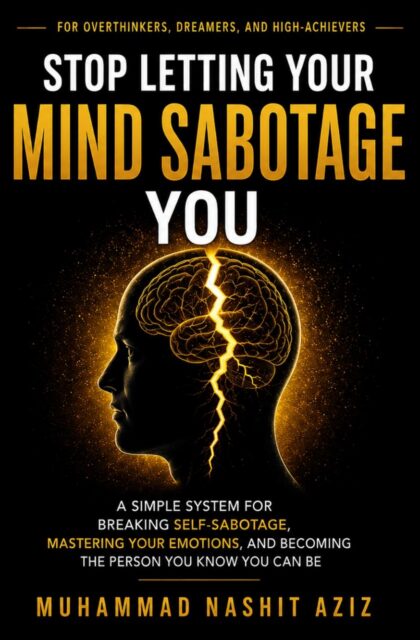
Stop Letting Your Mind Sabotage You

Continue with the Book

Stop Letting Your Mind Sabotage You

Explore the deeper framework for understanding self-sabotage, rebuilding self-trust, and creating meaningful personal change.