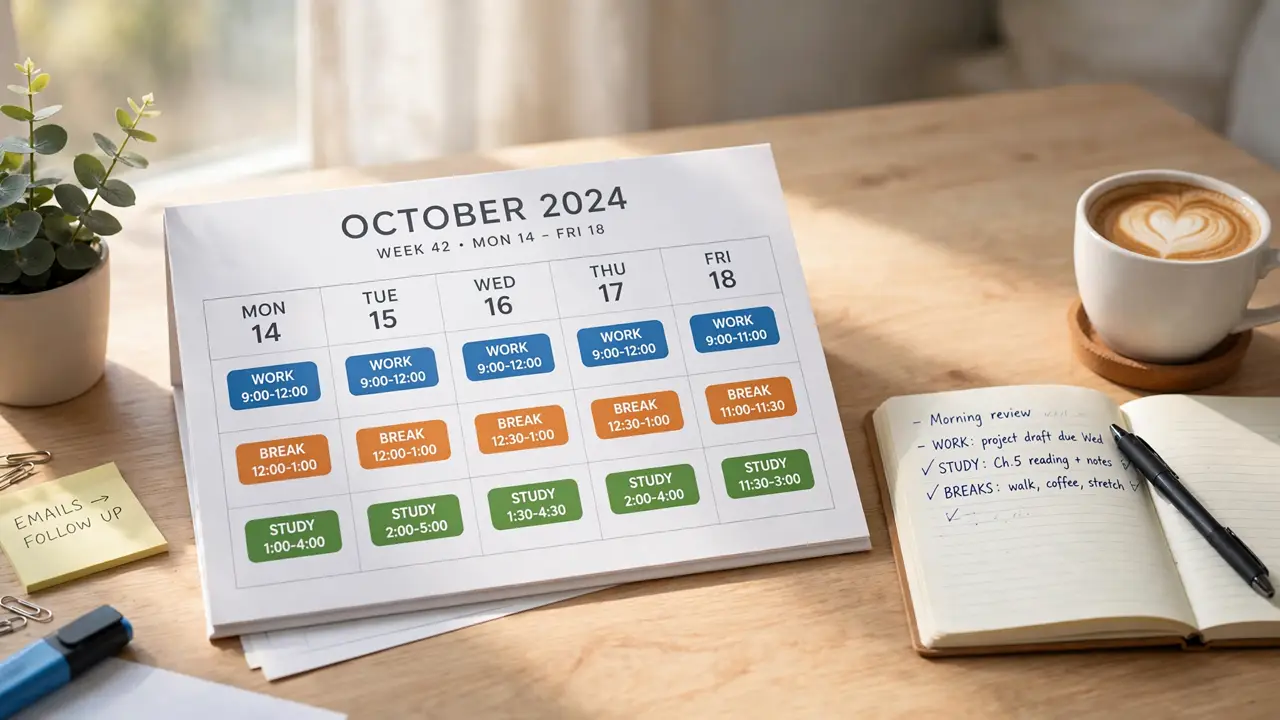
Time blocking turns a to-do list into a calendar plan by giving each task a fixed slot. Instead of hoping you will find time for important work, you decide in advance when it happens, and you protect that slot like an appointment. The result is fewer half finished tasks, fewer days that slip away, and a clearer sense of what you actually accomplished, as shown in a 2026 guide to time blocking.

What Time Blocking Really Means
Time blocking is a planning method in which you divide your day into blocks of time and assign each block to a specific task or type of work. You do not just list what needs doing, you decide when it gets done. A block might be 9:00 to 10:30 for deep work, 10:30 to 11:00 for email, and 11:00 to 12:00 for meetings, and the calendar becomes the plan rather than a record of what already happened.
The idea is closely related to timeboxing, in which you set a fixed time limit for a task and stop when the time is up. Time blocking adds the calendar element: each timebox has a place in the day, so you can see at a glance whether the day is realistic or overloaded, a distinction explained in a 2026 guide to time blocking.
Why a List Alone Is Not Enough
A to-do list tells you what matters, but it does not tell you when it will happen, and that gap is where most plans fail. A list with 20 items feels productive, yet the day only has so many hours, and without a calendar you cannot see that the list is impossible until the day is already over. Time blocking forces that reality check in advance: if the blocks do not fit, the plan needs to change before the day begins.
Blocking also protects focus. When a block is reserved for one task, other work has to wait, which reduces the cost of switching between tasks and makes it easier to do deep work. That focus benefit is why time blocking pairs well with deep work explained, where uninterrupted attention is the main ingredient.
How to Set Up Time Blocking in 15 Minutes
Start with your three most important tasks for tomorrow, not your whole list. Give each one a block, starting with the hardest task when your energy is highest, and put the blocks on your calendar before you add anything else. Leave a block for email and messages instead of letting them interrupt the whole day, and keep one block for small tasks that do not deserve a block of their own.
The setup works best when it is simple. A paper planner, a digital calendar, or a notes app all work, as long as the blocks are visible when the day starts. If a task takes longer than its block, do not abandon the system: move the next block, note what you learned, and keep going. A plan that survives contact with a real day is more useful than a perfect plan that falls apart at the first interruption, a point made in a 2026 guide to time blocking.
The Buffer Rule That Keeps It Realistic
Most time blocking plans fail because they assume a perfect day. Meetings run long, tasks take longer than expected, and urgent work appears without warning. The buffer rule fixes this: leave 15 to 30 minutes of empty space between blocks, and keep one block each day completely unscheduled. That empty time absorbs the overruns, so one late task does not wreck the rest of the day.
Buffers also make it easier to handle the kind of distraction that derails focus. When a new request arrives, you can park it in a later block instead of dropping everything, which protects deep work and reduces the feeling that the day is out of control. For the same reason, time blocking works well alongside the Pomodoro Technique explained, where short focused bursts fit neatly inside longer blocks.
Common Mistakes and How to Fix Them
- Blocking every minute: A day with no slack will break. Leave buffers and one unscheduled block.
- Putting vague tasks in blocks: Write the exact outcome, such as draft the report intro, not work on report.
- Treating blocks as prison: If a block is not working, move it. The calendar serves you, not the other way round.
- Skipping the weekly review: Spend 15 minutes on Sunday or Monday morning to block the week ahead, or the system quietly fades.
Another common mistake is blocking only work. Meals, breaks, exercise, and family time also need blocks, or work will quietly expand into them. When your calendar reflects your whole life, not just your job, the plan feels fairer and is easier to keep, a balance explored in a guide to healthy daily habits.
Key Takeaways
- Give every task a time, not just a place on a list: A calendar block is what turns intention into action.
- Start with three priorities: Block the hardest work first, when energy is highest.
- Leave buffers: 15 to 30 minutes between blocks, plus one unscheduled block, absorbs overruns.
- Be specific: Name the exact outcome for each block, not a vague topic.
- Block your whole life: Meals, breaks, and rest deserve blocks too, or work will take them.
Frequently Asked Questions
What is time blocking?
Time blocking is a planning method in which you divide your day into blocks and assign each block to a specific task, so the calendar shows when work will happen, not just what needs doing.
How is time blocking different from a to-do list?
A to-do list shows what matters but not when it will happen, so an impossible list only becomes obvious when the day is over. Time blocking forces a reality check in advance, because blocks that do not fit reveal an overloaded day before it starts.
How long should a time block be?
It depends on the task. Deep work often suits 60 to 90 minute blocks, while email and admin tasks may need only 30 minutes. The key is a clear start, a clear end, and a buffer between blocks.
What if a task takes longer than its block?
Move the next block, note what you learned, and keep going. A plan that survives a real day is more useful than a perfect plan that falls apart at the first interruption.
Does time blocking work for unpredictable days?
Yes, if you leave buffers and one unscheduled block each day. That empty time absorbs urgent work and overruns, so one late task does not wreck the rest of the day.
Final Thoughts
A to-do list asks what you hope to do, a time blocked calendar asks when you will actually do it, and that small change is the whole point. When every hour has a job, you stop ending the day wondering where the time went, and you start ending it knowing what you finished. The system does not need to be perfect, it just needs to be visible, realistic, and reviewed each week.
If this approach appeals to you, explore the productivity section, then read deep work explained and the Pomodoro Technique explained for two methods that fit neatly inside a blocked day.